
[web] python flask-01:basic
Pytorch model을 웹에 서빙하기 위한 web 공부
학습한 딥러닝 모델들을 웹 상에서 서빙하기 위해 flask 공부를 시작했습니다.
Install
pip install flask
Project directory
project root
├─ app.py
├─ templates
│     └─ index.html
└─ static
    ├─ js
    │   └─ main.js
    └─ css
        └─ style.css
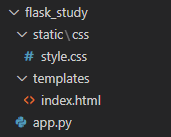
Flask project는 [templates, static] 폴더, python file로 구성합니다. templates 는 web 상에서 띄울 html 파일들을 모아놓는 폴더입니다. static은 필요한 css,js파일들, 정적 파일들을 모아놓을 폴더입니다.
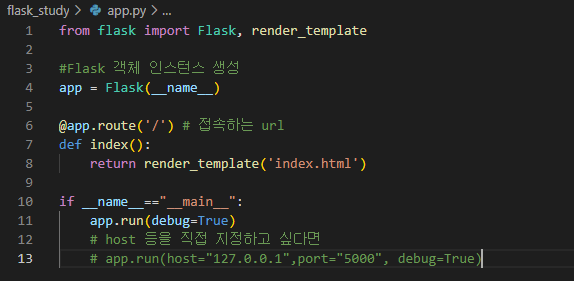
app.py 생성
실행하여 server를 가동시킬 python 파일을 생성합니다.
from flask import Flask, render_template

#Flask 객체 인스턴스 생성
app = Flask(__name__)

@app.route('/') # 접속하는 url
def index():
	return render_template('index.html')

if __name__=="__main__":
	app.run(debug=True)
    # host 등을 직접 지정하고 싶다면
    # app.run(host="127.0.0.1",port="5000", debug=True)
- 웹 페이지를 하나씩 추가할 때마다 decorator
@app.route()를 추가하고 아래 함수를 작성해야합니다.
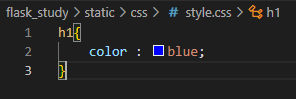
style.css 생성
- index.html을 꾸미는 css 코드 생성
h1{
  color : blue;
}
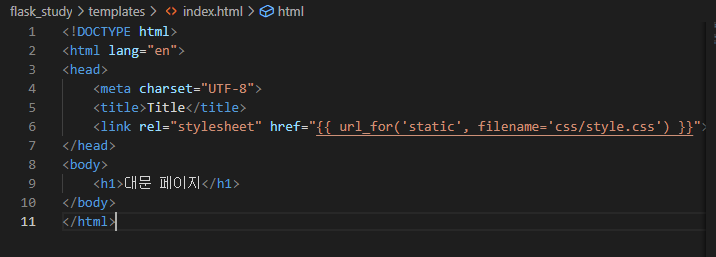
index.html 생성
```html <!DOCTYPE html>
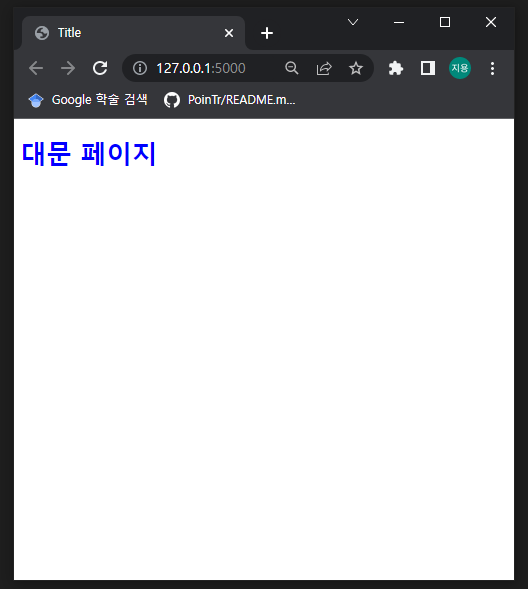
대문 페이지
```
- 서버 구동 후 front에서 표시해줄 web 페이지 입니다.
- head tag 안에서 static파일을 참조하는 경우 식으로 작성합니다. 예 :
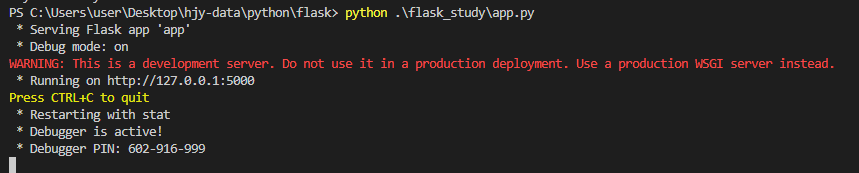
Server 구동
File directory는 다음과 같습니다.
style.css
index.html
app.py
python 실행
실행 화면
댓글남기기